In This Article
SharePoint is one of the most widely deployed collaboration platforms in business — and one of the most searched-for alternatives. Teams typically start looking for a replacement for one of three reasons: they want their documents to stay on infrastructure they control, they want a genuinely free starting point rather than a licensing negotiation, or they've discovered that getting real document control out of SharePoint requires more custom development than expected.
This guide covers the three most common alternative paths — self-hosted, on-premises, and free — along with an honest comparison of what SharePoint does well, where a dedicated document management system does better, and what it actually costs either way.
1. Why People Look for a SharePoint Alternative
SharePoint is a broad collaboration and intranet platform, not a dedicated document management system. That distinction matters more than it first appears. SharePoint is genuinely strong at team sites, intranets, and general file sharing. Where it falls short is the specific set of capabilities that "document management" actually implies:
- Immutable audit trails — SharePoint doesn't provide a compliance-grade, unalterable record of every document action out of the box.
- Enforced version retention — version history exists, but it can be deleted by users with the right permissions, which undermines its value as a compliance record.
- Structured approval workflows — building real approval processes means custom Power Automate flows, not a built-in feature.
- Cost predictability — SharePoint Online is billed per user per month, and SharePoint Server (the on-premises edition) carries substantial licensing and infrastructure costs.
None of this makes SharePoint a bad product — it makes it the wrong tool for teams whose real requirement is document control rather than general collaboration.
2. Self-Hosted & On-Premise SharePoint Alternatives
This is the most common reason teams search for an alternative at all: they want documents to live on infrastructure they own, not in a vendor's cloud. It's worth being precise about SharePoint's own on-premises story first, since it's often misunderstood.
SharePoint Server vs. SharePoint Online
Microsoft still sells an on-premises path — SharePoint Server — separately from SharePoint Online (the cloud, subscription-based version most people mean when they say "SharePoint" today). But the on-premises path has changed significantly. SharePoint Server 2016 and 2019, the last versions sold under a perpetual license, reach the end of extended support on July 14, 2026. After that date, Microsoft stops issuing security patches entirely — and unlike Windows Server, SQL Server, or Exchange Server, there is no paid Extended Security Updates bridge for SharePoint Server at any price.
The Three Paths Organizations Are Weighing
For organizations still on SharePoint Server 2016 or 2019, Microsoft's guidance generally points to one of three routes:
- SharePoint Online — the most commonly recommended route: migrate on-premises data to Microsoft 365, gaining continuous security updates and the latest collaboration features, but moving fully into the cloud.
- SharePoint Server Subscription Edition (SE) — for organizations with a genuine requirement to stay on-premises (data sovereignty, air-gapped environments, specific regulatory mandates), upgrading to SPSE keeps data local while restoring ongoing security updates — under a subscription license rather than the old perpetual model.
- Hybrid deployments — a phased approach connecting an on-premises SharePoint environment with SharePoint Online, typically used as a temporary bridge during a larger migration rather than a permanent end state.
All three routes keep an organization inside the Microsoft SharePoint ecosystem, and all three now involve an ongoing subscription in some form. For teams whose actual goal is to stop renting a document platform and own their software outright, none of the three is a complete answer — which is where a genuinely separate, perpetually-licensed option becomes relevant.
SharePoint Online, SharePoint Server SE, and Hybrid all require an ongoing, recurring subscription — indefinitely.
Pay once, own it forever. No required renewal — ever.
A Lighter, Perpetually-Licensed Self-Hosted Option
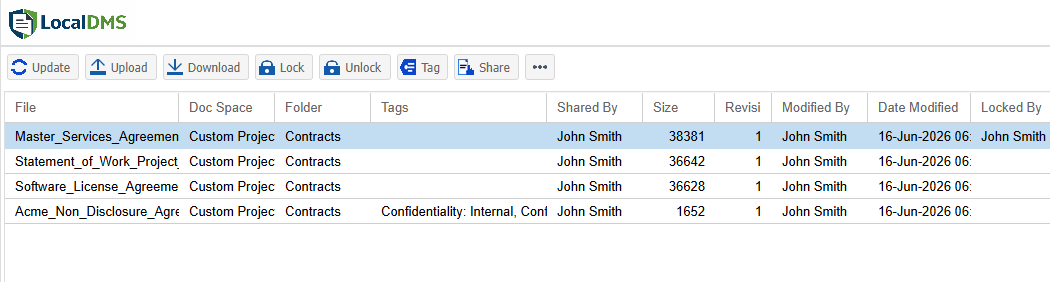
LocalDMS takes a different approach to self-hosting. It installs directly on a Windows desktop or server your business already owns — no separate SQL Server license, no complex network configuration — typically in under 5 minutes. Documents stay entirely on infrastructure you control, with no cloud dependency, and the license itself is perpetual: pay once, own it forever, with no required renewal. It also includes the document-management capabilities SharePoint doesn't provide natively: immutable audit trails, enforced version retention, and structured approval workflows with built-in electronic signatures.
A common assumption is that self-hosted alternatives trade convenience for control. LocalDMS is built specifically to avoid that trade-off — full data sovereignty without the IT project SharePoint Server typically requires, and without converting to a subscription to keep using it.
3. Free SharePoint Alternatives
SharePoint doesn't have a meaningful free tier — Microsoft 365 plans that include it start at a per-user monthly cost, and standalone SharePoint Server licensing has no free option. Teams searching for a genuinely free alternative usually mean one of two things: a free trial (temporary), or software that's actually free to keep using indefinitely.
LocalDMS's Community Edition is the second kind — free forever for up to 10 users, with no credit card required and no feature expiry. It includes the same core document management capabilities as the paid editions: version control, audit trails, approval workflows, full-text search, and role-based access control. If your team grows past 10 users, perpetual on-premises licenses start at $750 one-time for up to 20 users.
Download the free LocalDMS Community Edition for up to 10 users and test it on your own machine in under 5 minutes.
4. SharePoint vs. Dedicated Document Management
| Capability | SharePoint | LocalDMS |
|---|---|---|
| Version control | Limited — deletable by users | ✓ Enforced, no exceptions |
| Immutable audit trail | ✗ | ✓ |
| Approval workflows | Requires custom Power Automate | ✓ Built-in |
| Electronic signatures | ✗ Third-party add-on required | ✓ Built-in |
| On-premises deployment | SharePoint Server only, separate license | ✓ Included, any edition |
| Full-text document search | Limited, often inconsistent | ✓ Real-time, full content |
| Setup time | Weeks to months | ✓ Under 5 minutes |
| Free tier | ✗ None | ✓ Free forever, 10 users |
5. Real Cost Comparison
Published SharePoint pricing rarely reflects the full cost of getting it to function as a document management system. A realistic total includes licensing, implementation, and the custom development needed for approval workflows and audit trails.
LocalDMS licenses are perpetual — pay once, own it forever, with no required annual renewal. An optional 10% annual maintenance plan keeps you on the latest version, but it's never mandatory.
6. How to Choose the Right Alternative
Not every SharePoint alternative is solving the same problem. Before evaluating specific products, it helps to be clear on which of these applies to you:
- You want to stay in the cloud, just not Microsoft's — look at Google Workspace, Box, or Dropbox Business.
- You want data control and self-hosting — this is where on-premises document management systems like LocalDMS fit, rather than another cloud collaboration suite.
- You want a free starting point — check whether "free" means a time-limited trial or genuinely free software with no expiry, since the two are often conflated in search results.
- You need real document control, not just file storage — audit trails, enforced version retention, and structured approvals are the features to test directly, since they're the ones SharePoint handles weakest.
The clearest way to evaluate any alternative — including LocalDMS — is to see it working with your actual document types and approval process. Download the free Community Edition or request a demo tailored to your workflow.
Frequently Asked Questions
Is there a free SharePoint alternative?
Yes. LocalDMS's Community Edition is free forever for up to 10 users, with no credit card required and no time limit — including version control, audit trails, approval workflows, and full-text search.
Is there a self-hosted or on-premise SharePoint alternative?
Yes. LocalDMS installs directly on a Windows desktop or server you already own, keeping documents entirely on infrastructure you control — under a perpetual license. Microsoft's own on-premises path, SharePoint Server Subscription Edition, is subscription-licensed rather than perpetual, so there is currently no perpetual-license on-premises SharePoint option.
Is SharePoint on-premises being discontinued?
Not entirely, but the on-premises path is narrowing. SharePoint Server 2016 and 2019 — the last perpetually-licensed versions — reach the end of extended support on July 14, 2026, after which Microsoft issues no further security patches and offers no paid extended-support bridge, unlike Windows Server, SQL Server, or Exchange Server. The only remaining on-premises path, SharePoint Server Subscription Edition, requires an ongoing subscription rather than a one-time purchase.
What is the difference between SharePoint and a dedicated document management system?
SharePoint is a broad collaboration and intranet platform. Getting real document control — immutable audit trails, enforced version retention, structured approvals — out of SharePoint typically requires custom development. A dedicated DMS provides these capabilities built in.
What are the main alternatives to SharePoint?
Alternatives range from other cloud platforms (Google Workspace, Box, Dropbox Business) to dedicated document management systems. Teams specifically wanting on-premises deployment and lower total cost are usually better served by a dedicated on-premises DMS than another cloud collaboration suite.
How much does a SharePoint alternative cost compared to SharePoint?
SharePoint licensing plus implementation typically runs $5,000–$50,000 upfront, plus ongoing per-user fees. LocalDMS is free for up to 10 users, with perpetual on-premises licenses starting at $750 one-time for up to 20 users — no required annual renewal.