Student records & admissions
- Applications, transcripts, certificates and transfer records
- Limited to authorized staff
Manage student records, staff files, policies, procurement documents and approvals in one secure system. Self-host on your own servers or choose hosted SaaS.
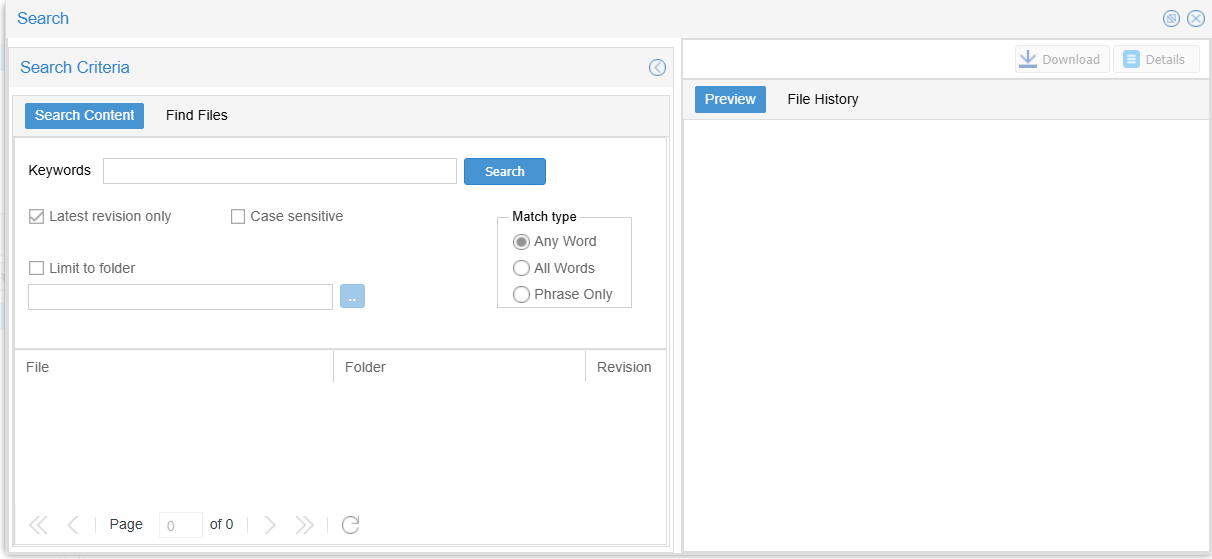
LocalDMS gives schools, districts and education offices one secure system for student records, staff files, policies, procurement documents and approvals. Staff find documents through full-text search, access is limited by role, and every revision is kept. It runs on your own servers or as hosted SaaS, and is free for up to 10 users.
Last updated
LocalDMS at a glance
| Deployment | Self-hosted on your own Windows desktop or server (Windows Server 2016 or later), or hosted SaaS by subscription |
|---|---|
| Access | Any modern web browser — no client software to install |
| Search | Full-text search of document content; built-in OCR for scanned files in 100+ languages |
| Version control | Every update is stored as a new revision; earlier revisions are kept |
| Reviews & approvals | Assign reviewers and approvers; decisions and comments stay with the document |
| Access control | Role-based permissions by Document Space and folder |
| Activity log | Records document operations; cannot be edited, even by administrators |
| Import & export | Upload multiple files at once; export data through a REST API |
| Licensing | Concurrent sessions, not named users; perpetual on-premises licenses |
| Price | Free for up to 10 users; perpetual licenses from $750 — see pricing |
Enrollment records, personnel files, inspection reports and policies are usually spread across cabinets, shared drives, email and separate school offices.
Finding a certificate, contract or old report means checking several offices.
Policies and procurement documents circulate by email or on paper.
It is hard to tell who changed or approved a document.
Nobody is sure which version of a policy is current.
Student and personnel files need controlled access.
Gathering evidence for inspections and accreditation takes days.
Example: a school administrator uploads a term inspection report and submits it for review; the regional education office comments and approves it or requests revisions; LocalDMS keeps the approved report, earlier versions and the approval record. More on each capability: document search, review and approvals and version control.
LocalDMS manages the documents that support student records, such as forms, certificates and correspondence. It does not replace a Student Information System (SIS) for grades, attendance or scheduling.
Student records are among the most sensitive documents an institution holds. In the United States, FERPA governs access to and disclosure of education records, and many states add their own student-privacy laws. LocalDMS does not certify compliance with any of these. It provides controls that can support your own privacy program.
Limits who can open student and personnel files.
Records document operations and cannot be edited, even by administrators.
Keeps records on servers your institution controls. License activation is a manual, email-based process, and LocalDMS sends no telemetry.
Check the requirements that apply to you with your compliance office or counsel.
A regional department oversees 100 schools. Each school produces enrollment records, staff documents, financial records, inspection reports and correspondence, currently kept on school computers, in email and in paper archives.
With LocalDMS, the department creates separate Document Spaces for central administration, school operations, human resources, finance and inspections. Staff upload documents to the right place, tag them, find them through search and send them for review. Regional administrators open the records they are authorized to see without requesting copies from each school.
Because licensing is concurrent, the department can give every administrator an account and license only the number who work in the system at the same time. This is an illustration; Document Spaces, permissions and workflows are set up to fit each institution.
| Factor | Shared drives, email & paper | LocalDMS |
|---|---|---|
| Where documents live | Scattered across offices, computers and cabinets | One repository with Document Spaces per function |
| Finding a document | Browsing folders and inboxes | Full-text search of content, plus file names and tags |
| Scanned paper | Not searchable | Searchable through built-in OCR |
| Current version | Several uncontrolled copies | Latest revision shown; earlier revisions kept |
| Approvals | Email chains and paper routing | Reviews and approvals recorded with the document |
| Access control | Broad or inconsistent folder access | Role-based access by Document Space and folder |
| Accountability | Little visibility into changes | Revision history and an activity log that cannot be edited |
| Audit preparation | Collecting files from each office | Retrieving organized records from one system |
Start with one office on the free Community Edition and expand as you need. Because licenses count concurrent sessions, a district can create accounts for every staff member and license only the number working at the same time.
On-premises licenses are perpetual: pay once and the license does not expire. An optional maintenance plan (10% of the license price per year) keeps you on the latest version. All editions have the same features and differ only by user count, and licenses count concurrent sessions rather than named accounts.
All features. No credit card. No expiry date.
Yes. LocalDMS can store enrollment forms, transcripts, certificates and other student documents in a dedicated Document Space. Access is limited by role, so only authorized staff can open student files.
No. LocalDMS manages the documents that support student records, such as forms, certificates and correspondence. It works alongside a Student Information System, which handles grades, attendance and scheduling.
No. Software alone does not make an institution FERPA compliant, and LocalDMS does not certify compliance. Role-based access, an activity log and self-hosting can support your privacy controls. Confirm requirements with your compliance office or counsel.
Yes. LocalDMS can be self-hosted on your own Windows servers, in a district data center or a private cloud you control. A hosted SaaS option is also available for institutions that prefer not to run a server.
LocalDMS licenses count concurrent sessions, not named accounts. A district can create accounts for every staff member and license only the number of people working in the system at the same time.
Yes. Built-in OCR recognizes the text in scanned documents in 100+ languages and adds it to the search index. Accuracy depends on scan quality.
LocalDMS is free for up to 10 users. Perpetual on-premises licenses cost $750 for up to 20 users, $3,000 for up to 50 users and $5,000 for up to 100 users, with custom Enterprise pricing above 100 users. Licenses do not expire, and an optional maintenance plan (10% of the license price per year) keeps you on the latest version. Hosted SaaS is priced separately.
Start free with one office, or request a demo with your own documents.