Revisions
- Each update stored as a new revision
- Earlier revisions left exactly as they were
Never overwrite a file again. Automatic revisions, check-out locking, and full history.
LocalDMS stores every update to a document as a new revision and keeps earlier revisions unchanged. Check-out locks a document while you edit it, so changes do not collide. File History lists every revision, and full-text search can include older revisions. Version control is part of every edition, including the free one for up to 10 users.
Last updated
LocalDMS at a glance
| Deployment | Self-hosted on your own Windows desktop or server (Windows Server 2016 or later), or hosted SaaS by subscription |
|---|---|
| Access | Any modern web browser — no client software to install |
| Search | Full-text search of document content; built-in OCR for scanned files in 100+ languages |
| Version control | Every update is stored as a new revision; earlier revisions are kept |
| Reviews & approvals | Assign reviewers and approvers; decisions and comments stay with the document |
| Access control | Role-based permissions by Document Space and folder |
| Activity log | Records document operations; cannot be edited, even by administrators |
| Import & export | Upload multiple files at once; export data through a REST API |
| Licensing | Concurrent sessions, not named users; perpetual on-premises licenses |
| Price | Free for up to 10 users; perpetual licenses from $750 — see pricing |
Watch: LocalDMS in 48 seconds. The video loads from YouTube when you press play.
Most version problems start when someone edits a copy that is no longer current. File-naming conventions only work if everyone follows them.
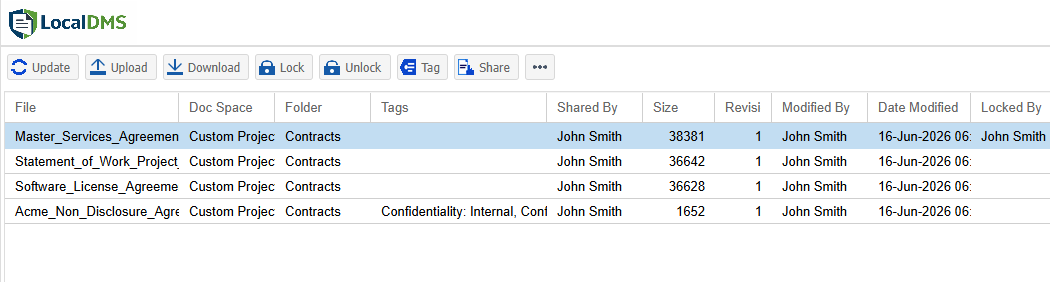
Two people editing the same file at the same time is one of the most common ways work gets lost. LocalDMS prevents it with check-out and check-in.
Checking out a document locks it while you work on it. Colleagues can see that it is checked out, so nobody starts conflicting changes.
Checking the document back in saves your changes as a new revision and releases the lock for the next person.
Open a document and switch from Preview to File History to see how it changed over time. In a dispute or an audit, you can show what a document said before and when it changed.
The Approval & Reviews tab keeps review and approval records with the document itself. See review and approval workflows.
LocalDMS keeps an activity log of document operations that cannot be edited, even by administrators. See audit and compliance.
On the Search Content tab, clear “Latest revision only”. The Revision column then shows which revision contains your terms. See document search.
1. Open the document and check it out; it is now locked to you. 2. Make your changes. 3. Check it in: your changes are saved as a new revision and the lock is released.
1. Open the document. 2. Select File History to see its revisions. 3. Select an earlier revision to view it.
1. Open Search and select the Search Content tab. 2. Enter your words and choose a match type. 3. Clear “Latest revision only” and click Search. The Revision column shows the match.
For the general principles, see our guide Document Version Control: What It Is and How to Get It Right.
Windows file servers can keep snapshots through Previous Versions (Volume Shadow Copies), if it is configured, and Office warns when a file is already open. Here is how that compares with document-level version control.
| Factor | LocalDMS version control | Shared drive / file server |
|---|---|---|
| Saving changes | Each update stored as a new revision | Overwrites the file unless the user saves a copy |
| Earlier versions | Every revision kept, listed in File History | Previous Versions snapshots if configured, taken on a schedule rather than per edit |
| Current version | Latest revision shown by default | Depends on file-naming conventions |
| Editing conflicts | Check-out lock while editing | Office “file in use” warning; no check-in workflow |
| Search older versions | Full-text search across all revisions | Not searchable |
| Reviews and approvals | Recorded with the document | Usually in email |
| Activity log | Document operations logged; not editable | Requires Windows file-access auditing to be configured separately |
Version control is included in every edition, from the free Community Edition to Enterprise.
On-premises licenses are perpetual: pay once and the license does not expire. An optional maintenance plan (10% of the license price per year) keeps you on the latest version. All editions have the same features and differ only by user count, and licenses count concurrent sessions rather than named accounts.
All features. No credit card. No expiry date.
Yes. When a document is updated, LocalDMS stores the update as a new revision and keeps earlier revisions unchanged. File History lists every revision of the document.
Checking out a document locks it so colleagues can't make conflicting changes while you edit. Checking it back in saves your changes as a new revision and releases the lock.
Yes. On the Search Content tab, clear Latest revision only and LocalDMS searches earlier revisions too. The Revision column shows which revision contains the match.
Yes. LocalDMS keeps an activity log of document operations, and the log cannot be edited, even by administrators. Together with revision history, it shows how each document has been handled.
Yes. Version control is included in every LocalDMS edition, including the free Community Edition for up to 10 users. All editions have the same features and differ only by user count.
Self-hosted, all revisions stay on your own server: in your office, your data center or a private cloud you control. With hosted SaaS, they are stored in the LocalDMS hosted service.
LocalDMS is free for up to 10 users. Perpetual on-premises licenses cost $750 for up to 20 users, $3,000 for up to 50 users and $5,000 for up to 100 users, with custom Enterprise pricing above 100 users. Licenses do not expire, and an optional maintenance plan (10% of the license price per year) keeps you on the latest version. Hosted SaaS is priced separately.
Start free — version control is active from the first document you store.